Full playthrough · final build on a Meta Quest 3 · me playing in the corner
Generate Your Story
Posted September 9, 2026
The player is a salvage pilot, and the player character doesn’t have a fixed name. You type a call sign on the start screen and it shows up below as {PlayerName}. The ship AI is ECHO.
It’s dead quiet the whole time, just the hum of the station and ECHO talking, until the Lab, where that breaks. Pick a stop on the station:
Start Screen
Custom UI Interaction
Station logo, a text field for your call sign, and a Begin button.
Opening: The Jump
Cinematic
A short cinematic before you step aboard. Your ship makes a jump to the station.
Docking Bay
Hover / Select / Activate
Airlock Door: glows on hover. Selecting it starts ECHO's briefing, and the door opens when it's done.
Corridor
Flavor, no interaction
Control Room
Information Panel
Terminal: ECHO's first line is about the power, and its second is about the crew.
Then a written journal entry the crew left comes up, different from the automated log ECHO mentioned.
Lab
Hover Enter/Exit · Select/Activate + Changing Material
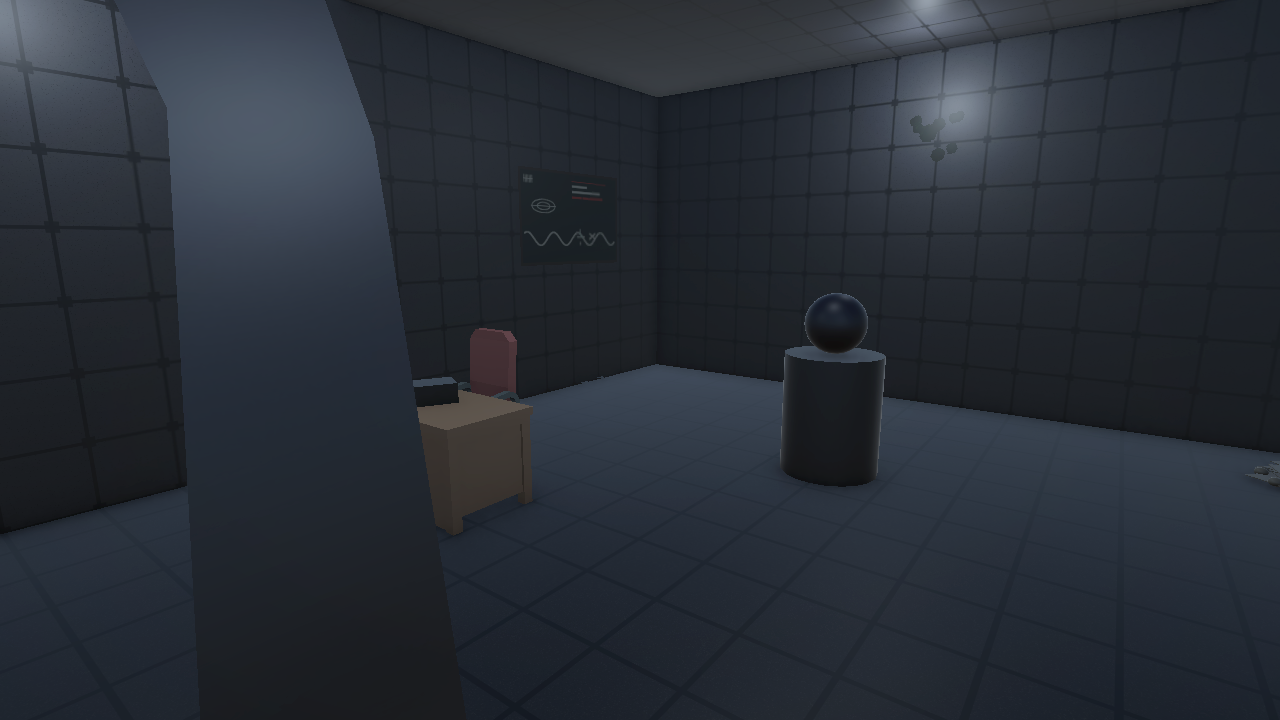
Recorder: scales up and lights up when you hover it, back to normal when you don't. Select it and it plays the last thing it ever recorded: static, one ragged breath, nothing. No Day 181 entry, because there was nobody left to make one.
Artifact: select it and its material shifts from dim blue to bright white. The room starts to shake and the lights go red as an alarm sounds. Then the room is gone and you're floating in open space among spinning stars. All you can hear is breathing. After a few seconds everything snaps back, the artifact dark and the lab quiet again.
End Screen
Restart
Button: Restart, which reloads the run from the opening.
World & Interaction Map
| Room | 3D Elements | Interaction | Type |
|---|---|---|---|
| Start Screen | UI panel | Name entry | Custom UI |
| Docking Bay | Crates, cargo sled, suits, airlock door | Open door | Select/Activate |
| Corridor | Wall/floor pieces, lighting | — | — |
| Control Room | Console/terminal, chair, monitor, bunk | View journal entry | Information Panel |
| Lab | Desk, recorder, artifact pedestal | Hover recorder | Hover Enter/Exit |
| Lab | (same room) | Activate artifact | Select/Activate + Material |
| End Screen | UI panel | — | — |
Build the 3D World
September 11, 2026
Room by room, following the World & Interaction Map above:
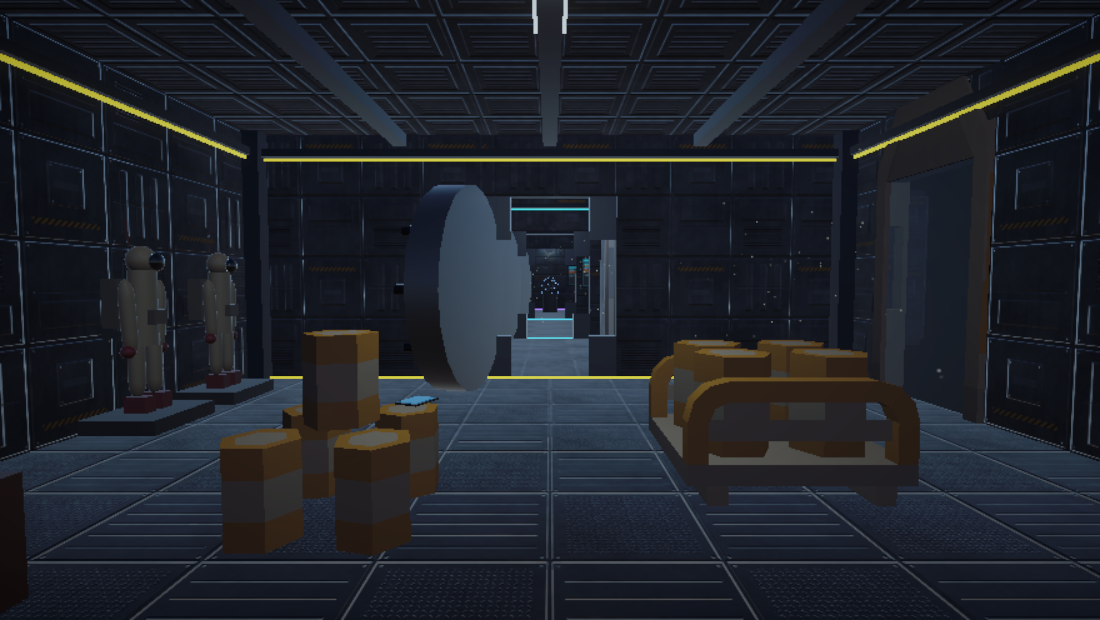
- Docking Bay: primitive-built room with a paneled floor/wall/ceiling texture, plus Kenney Space Kit props: barrels doubling as crates, a barrel-loaded rail cart as the cargo sled, a satellite dish, and a gate frame as the airlock (sealed, glowing, hazard-striped). Two space suit mannequins on display platforms, window looking out on deep space.
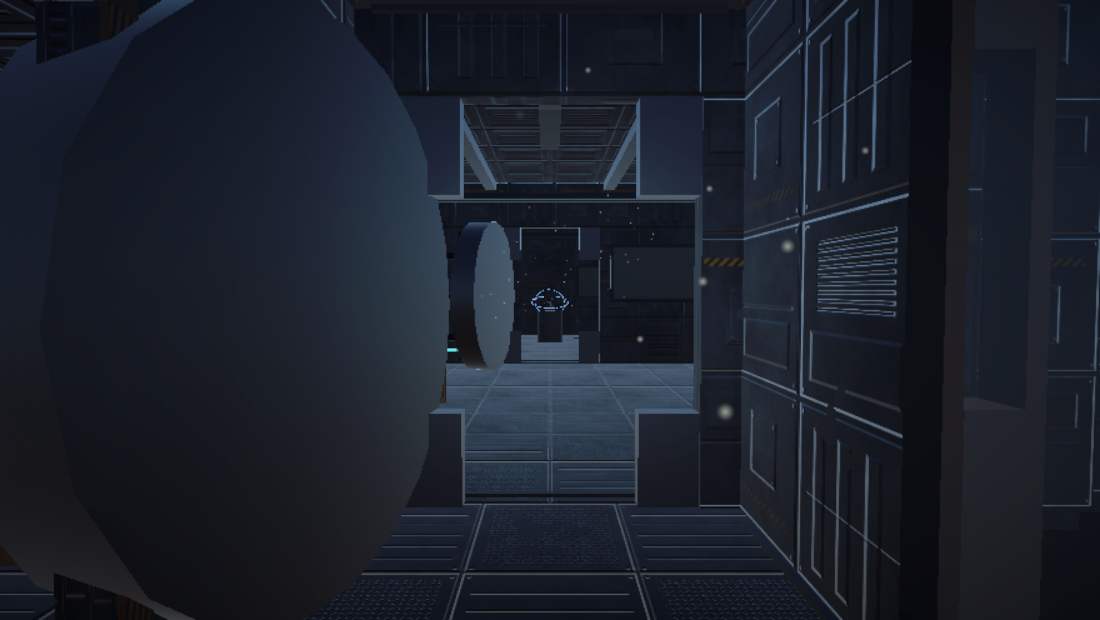
- Corridor: short, mostly flavor. Primitive shell, two emissive ceiling strips, a window onto a ringed planet. No interaction here.
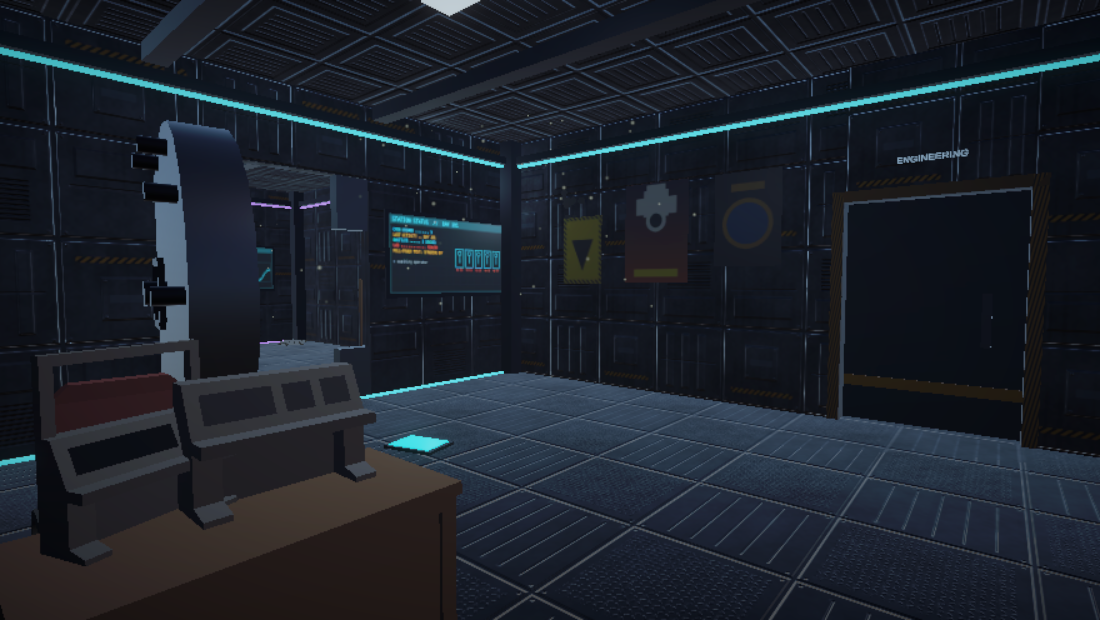
- Control Room: Kenney desk + chair, a console + monitor facing the corridor entrance so it’s the first thing you see walking in, a bunk bed, three wall posters, another window with a different ringed planet.
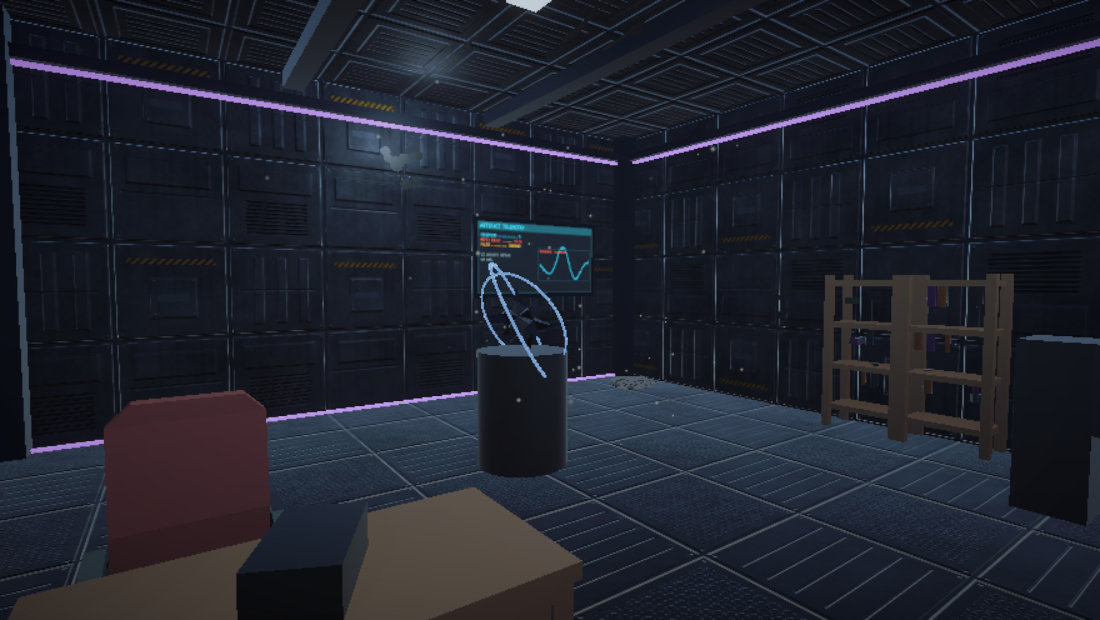
- Lab: desk + chair, the recorder prop, the artifact on a pedestal (just a primitive with an emissive material, no shader needed), two bookcases with random vials/bottles/gadgets, a chalkboard, a pile of papers in the corner.
Lighting’s dim everywhere, practical-fixture style, to match the whole dead-station thing, with decay decals scattered around. Only the Lab light actually needs to flicker, which gets scripted in Assignment 3. Skybox is a starfield I generated (not a stock HDRI) with three actual 3D ringed planets, real geometry and not a texture, placed so each window looks out on one.
Screenshots
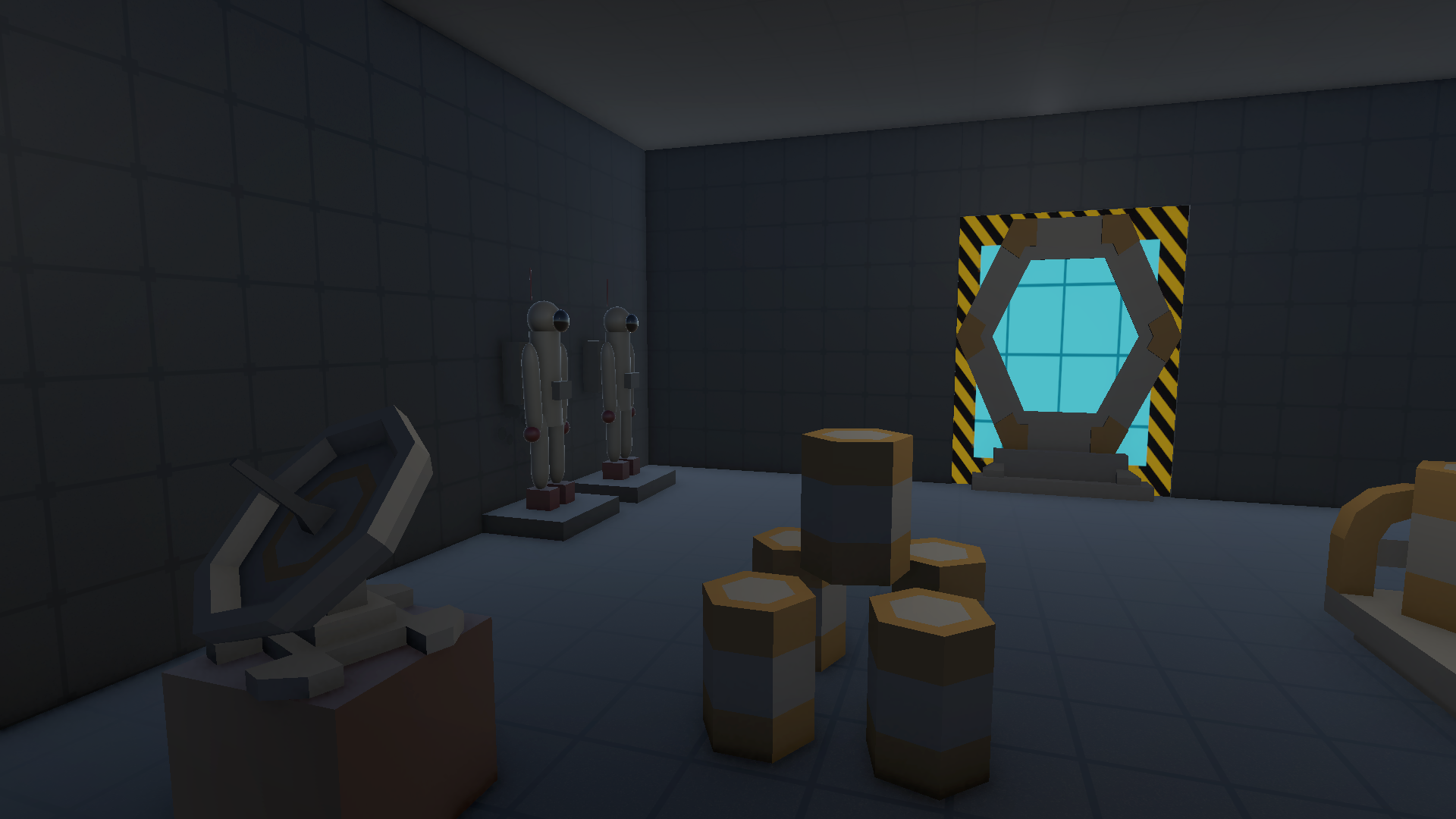
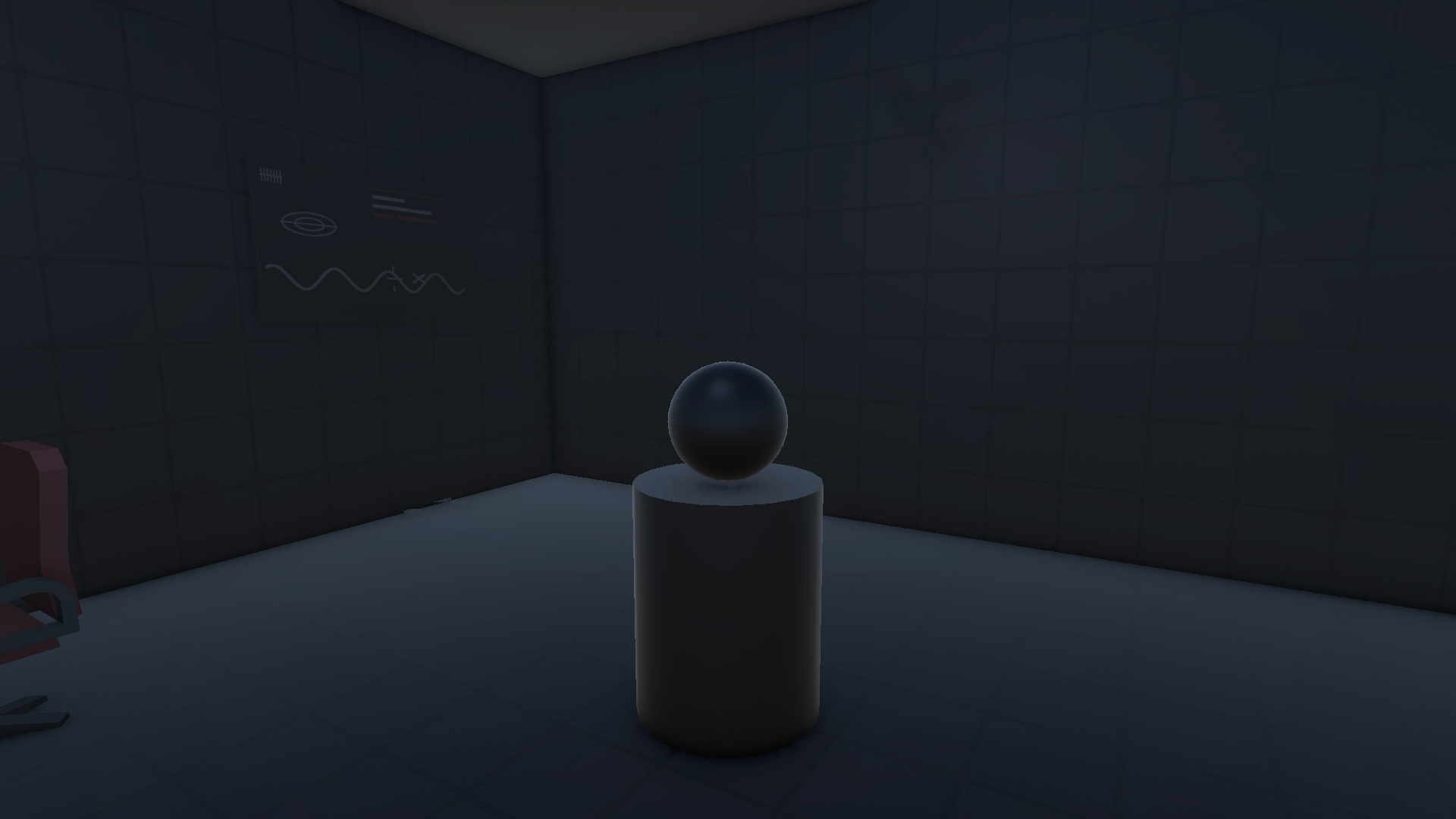
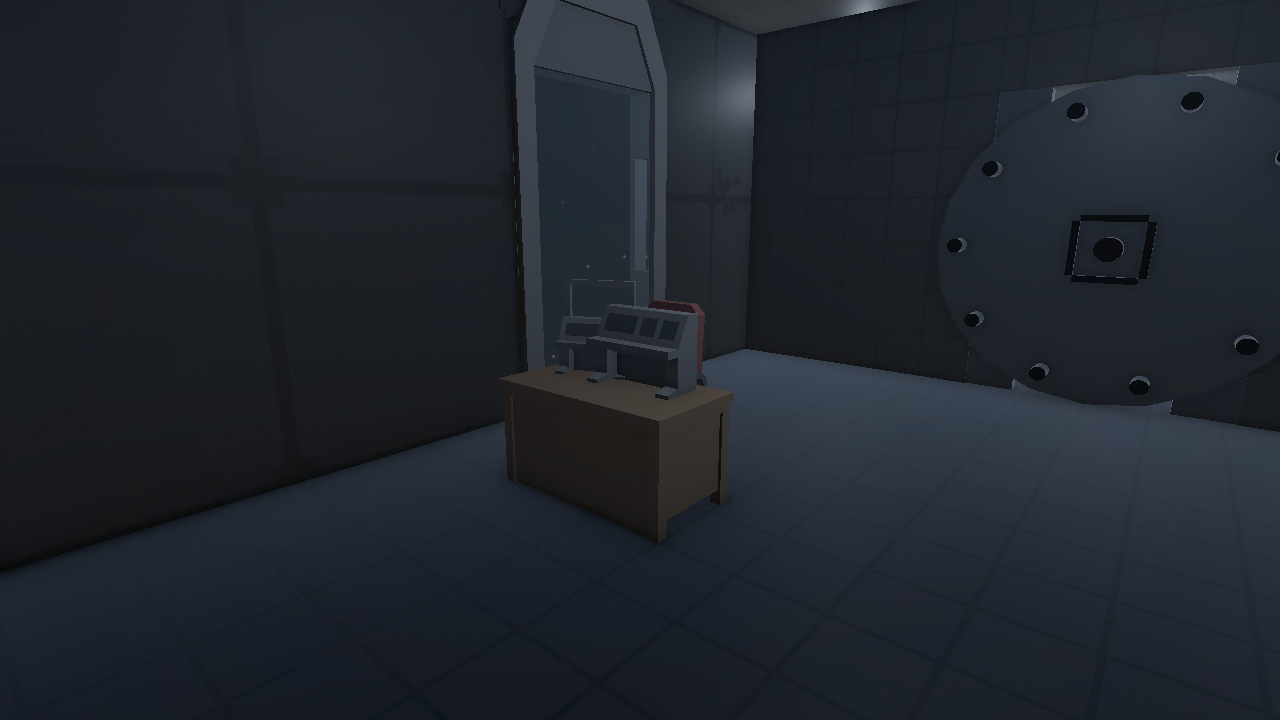
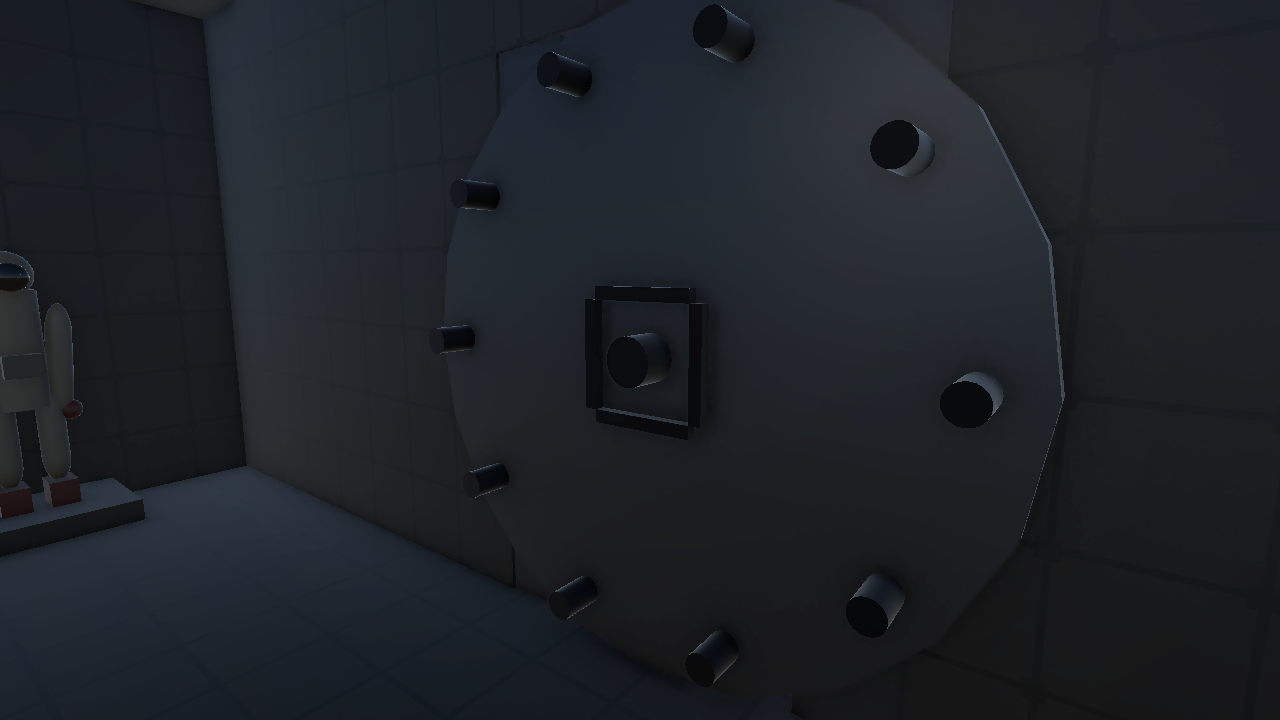
Video Walkthrough
Asset List
| Source | Assets | Used For |
|---|---|---|
| Kenney “Space Kit” | Barrels, barrel rail cart, gate frame, computer console, computer screen/monitor, window frame, satellite dish | Docking Bay, Corridor, Control Room |
| Kenney “Furniture Kit” | Desk, chair, two bookcases, bunk bed | Control Room, Lab |
| Built from primitives | Room shells and paneled surface textures, airlock door panel + glass, artifact (emissive material, no shader), recorder prop, strip lights, space suit mannequins, decay decals, wall posters, chalkboard, paper pile, and a procedural starfield skybox with 3 real 3D ringed planets | All rooms |
| Freesound.org (CC0) | Breathing loop, ECHO beeps/stings, screech/howl one-shot | Ambient audio + artifact trigger (wired up in Assignment 3) |
Add Interactions
Posted September 21, 2026 · Updated October 5, 2026
The build now runs on a real Meta Quest headset, not just in the Editor. Everything below reflects the current version. Full source and commit history are in the GitHub repo.
The Run
Six interactions have to happen in order, and each one only responds on its turn:
- Airlock door
- Corridor door
- Terminal
- Lab door
- Recorder
- Artifact
A small objective HUD tells you what to do next, and every interactable shows a floating hint (“PULL TRIGGER”, “GRAB, THEN MOVE IN A CIRCLE”) when you point at it. Out-of-order objects don’t react at all, so there’s no way to get stuck.
Five Points of Interaction
Covering the assignment’s required interaction types, on top of the rooms from the World & Interaction Map:
1. Start Screen: Custom UI Interaction
Station logo, call sign field, Begin button. Whatever you type becomes {PlayerName} for the rest of the run. Quest’s system keyboard doesn’t work inside a fully immersive app, so I built an in-scene QWERTY keyboard (letters, space, delete) out of ordinary UI buttons. You type by pointing a controller ray at keys and pulling the trigger, same as pressing Begin.
2. Airlock, Corridor & Lab Doors: XR Simple Interactables, Hover / Select / Activate
Each vault door glows on hover and opens on select. In VR the real control is the wheel handle: grab it and move your hand in a circle. The custom TwistHandle.cs tracks the hand’s angle around the wheel’s axis, and each wheel is tied to its own step so it only turns when it’s that door’s turn.
3. Recorder: 3D Object Hover Enter/Exit State
Scales up and lights up on hover, drops back down when you look away. Straight GameObject-level hover, no UI involved. Select it and it plays back its last recording: static, one ragged breath, nothing.
4. Terminal: Information Panel (UI Canvas Element)
Selecting the console pulls up a panel with the crew’s last journal entry, closing itself after the final line.
5. Artifact: Select/Activate + Changing Materials/Background
Selecting it shifts the material from dim blue to bright white. Then the room shakes and the lights flicker red while an alarm siren builds. The room cuts out and you’re floating in open space among spinning stars with only your own breathing to listen to. After about twelve seconds everything snaps back to normal and ECHO closes out the story. I tried crew silhouettes in this moment and cut them. The simple version is creepier.
The Start Screen and End Screen from Assignment 1 bookend the run. The End Screen has a single Restart button that takes you back to the opening sequence.
What Changed After Headset Testing
Testing on a real Quest turned up problems the Editor never showed:
- Dead controllers on the start screen. An Editor-only input simulator was shipping in the Android build and fighting the real controllers. It’s now tagged
EditorOnlyso Unity strips it from builds. - Dialogue that never advanced. “Click to continue” only listened for a mouse, so on the headset every line hung forever.
- Dialogue that skipped itself. My first fix accepted any button on any device, which on a Quest includes touch sensors and tracking flags that fire constantly, so lines vanished before they could be read. Now only the trigger (or a face button) advances a line, each line ignores input for a short read time scaled to its length, and lines queue instead of cutting each other off. Nothing auto-dismisses anymore.
- UI that didn’t render in VR. All five canvases were screen-space overlays. They’re now world-space panels that re-center when you turn away, with controller-ray raycasters on the ones with buttons.
- A soft-lock. The corridor door had no wheel handle, so the run couldn’t finish. Fixed.
- Motion-sickness in the opening cinematic. The cinematic camera wasn’t tracking head rotation. Fixed.
- Stuck in space. The float coroutine lived on an object that got hidden, so it never resumed. It now runs from a persistent host object.
- Falling out of the world at the ending. This one took the longest to find. The station would never reappear and Restart couldn’t be clicked, and I spent several rounds fixing symptoms. The headset log finally showed the real cause: the camera was at y = -669 when the station came back. The ending hides the whole station, including the floor, and the XR rig’s gravity kept pulling for the entire twelve-second float, about 700 meters of free fall. The fix is to freeze all locomotion (gravity included) while the room is gone, then put the player back exactly where they were standing. I also have to freeze it again at the end screen, because that step turns off the room’s colliders to keep them from blocking the controller ray, and the floor is one of them. With that, the station reappears around you and Restart works on the headset.
I also added a desktop point-and-click mode for testing in the Editor. Real Quest builds always use VR.
Asset & Package Notes
| Source | Used For |
|---|---|
XR Interaction Toolkit 3.6.0 (XRSimpleInteractable, select/hover events) |
Terminal, recorder, artifact, doors, door wheels |
Custom scripts (TwistHandle, InteractionSequencer, OnScreenKeyboard, WorldSpaceUIFollow, ObjectiveHUD) |
Wheel grab rotation, step ordering, VR typing, VR-safe UI, objective HUD |
| “Star Sparrow Modular Spaceship” by Ebal Studios | Ship in the opening cinematic |
| Freesound.org (CC0) + “Voices Sound Effect Library” by Little Robot Sound Factory (CC-BY 3.0) | Ambient loops, ECHO stings, recorder breath |
| Locally-synthesized audio (ffmpeg) | Bass rumble, glitch stingers, alarm siren |
Full attribution is in Assets/CREDITS.txt in the repo.
Final Project: Day 181 v2
Posted November 11, 2026
For the final I went back to Day 181 instead of starting something new. The version above worked on the headset, but it was short and the mystery never went anywhere: one clue, one reveal, the same ending every time. v2 is the same station made longer, darker and stranger, with a story you can actually piece together and a choice at the end.
Status: v2 has been through two playthroughs on the Quest, and the fixes from the second one are built but not yet replayed in the headset. The video at the top of this page is still v1; a new headset walkthrough will replace it once the latest build has been tested. Source is in the GitHub repo; the original is tagged v1-final.
Before and After
| v1 (Assignments 1 to 3) | v2 (Final) | |
|---|---|---|
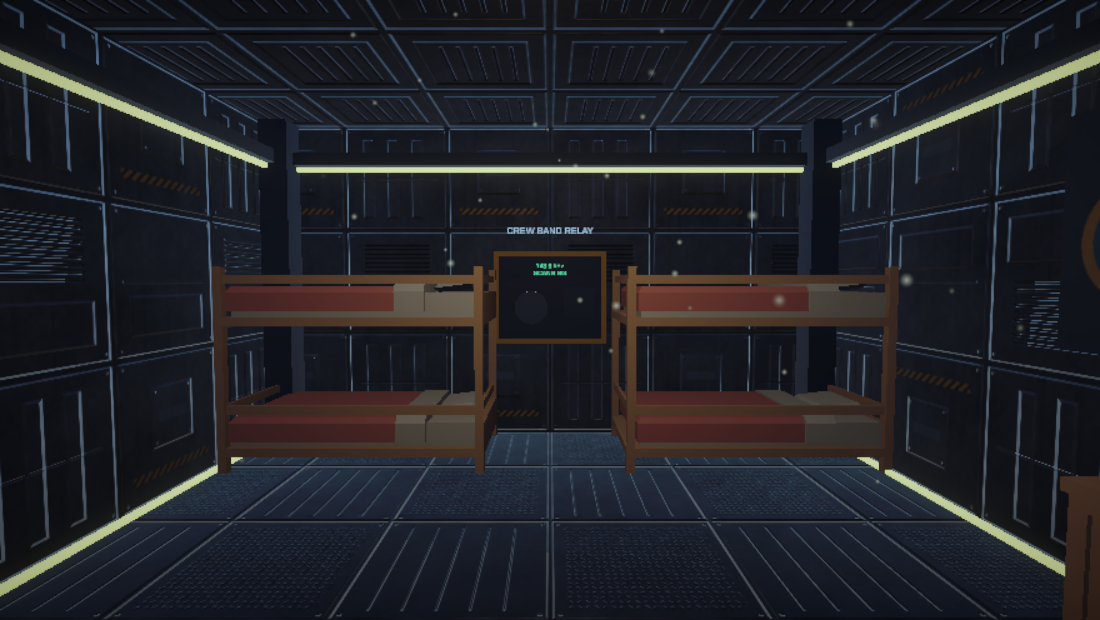
| Rooms | 4 | 6, adding Crew Quarters and Engineering |
| Required steps | 6 | 10 |
| Kinds of hand interaction | 2 (point and trigger, twist a wheel) | 6 (adds slide a hatch, carry a power cell, pull a lever, hold a dial to scan) |
| Optional things to find | none | 5 crew logs, one from each crew member |
| Endings | 1 | 3 |
| Lighting | one fixed look | 4 states: emergency power, full power, blackout, lab only |
| Surfaces | one flat 256 px grid texture on everything | 1024 px wall, floor and ceiling panels with depth, plus trim, beams and a coloured light strip in every room |
| Story beats that need a click | all of them | dialogue still clicks; PA, radio voices, whispers and hints are captions that fade on their own |
The New Story
You are still a salvage pilot and ECHO is still your ship’s AI. What changed is that ECHO now has an agenda, and the station has a past you can read.
The station went silent 181 days ago. It is on emergency power when you dock because someone pulled the reactor cell. ECHO walks you through putting it back. The moment the lights come up, the station’s PA picks up exactly where it stopped: “Resuming scheduled operation. Day one eight one. Full-power test: standing by.” ECHO tells you to ignore it.
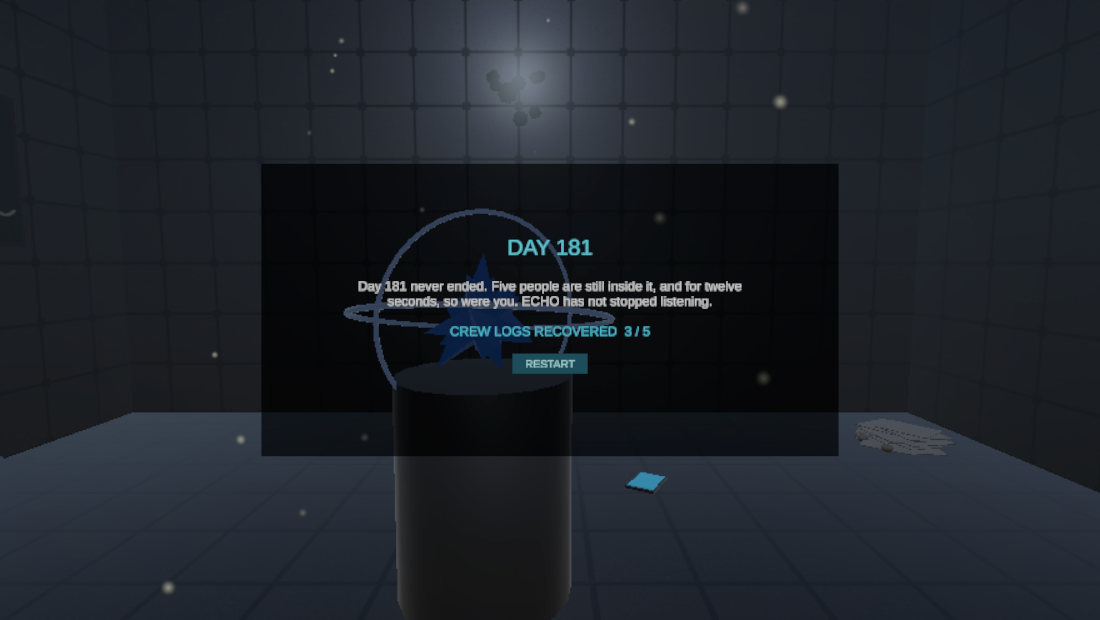
Five crew logs are scattered through the rooms, glowing blue instead of gold. They are optional, and ECHO says not to bother. Read together they say what ECHO won’t:
So nobody evacuated, the dream is the float sequence from v1, and the person who put the cell back is you. ECHO has a calm explanation for everything (“thermal contraction”, “old recordings”, “equipment noise”), and each one is contradicted by something you read or just heard.
The Run, v2
- Airlock door. Twist the wheel.
- Corridor door. Twist the wheel. The control room behind it is dead.
- Engineering hatch. Grab the handle and drag the hatch sideways along its rail.
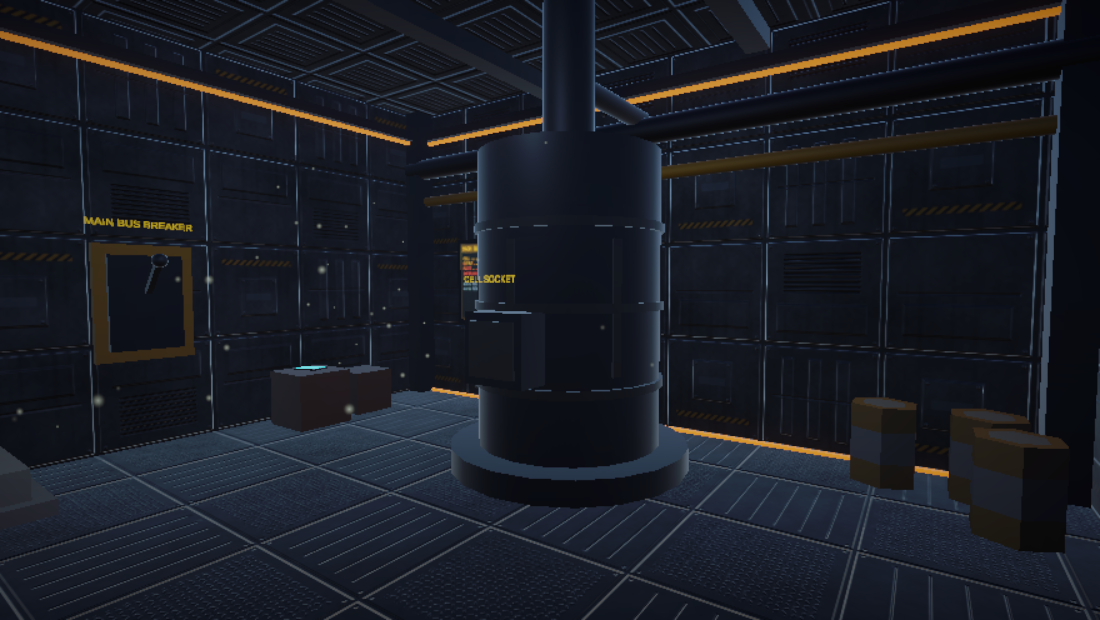
- Power cell. Take the one live cell off the rack and carry it across the room to the reactor socket.
- Main bus breaker. Grab the lever and pull it down. Power returns, the PA speaks, and a door opens somewhere behind you.
- Terminal. Crew roster, the Day 180 journal, and where the lab’s lock is controlled from.
- Radio panel in Crew Quarters, which holds the lab door’s remote lock. Point at the dial and hold the trigger. It scans by itself, stops on a signal with voices in it, then finds the door and unlocks the lab.
- Lab door. The lights have just died. You walk back through the corridor and control room by suit lamp.
- Recorder. One ragged breath.
- The choice. Touch the artifact, or pull the containment seal by the lab door.
Three Endings
- Coordinates Logged. You touch the artifact without having read much. You float, you come back, ECHO says it’s over. You never find out what happened.
- Day 181. You touch it having read three or more logs. This time you can make out words in the dark, and ECHO admits it has been listening to five voices on a dead band for six months. It was never a salvage run.
- Station Sealed. You pull the containment lever instead. ECHO starts to object and is cut off. The end text depends on whether you knew who you were sealing in.
The end screen shows how many crew logs you recovered, which is the reason to play it again.
Four New Interactions
All four use the mechanism the door wheels already proved on the headset: an XR Simple Interactable that stays selected while you hold the trigger, with the script reading where your hand is each frame. They share one base script, HoldInteractable.cs, which handles the gold glow, the floating hints, haptic ticks and the step order.
SlideHatch.csmeasures how far your hand has moved along the hatch’s rail and moves the door with it.CarryCell.cskeeps the power cell at your hand while you hold it and locks it in when it gets close to the socket. If you let go early it drifts back to the rack, so it can’t be dropped out of reach.PullLever.csturns the downward travel of your hand into the lever’s angle, and springs back if you let go early.TuneDial.csis hold-to-scan: keep the trigger held on the dial and it sweeps the band, pauses on the voices, and unlocks the lab. It started as a circle-your-hand gesture like the wheels; that did not survive the headset (see below).
Crew logs are plain point-and-trigger, on their own script (CrewLog.cs), outside the required sequence.
Making It Scarier Without Showing Anything
I kept the rule from Assignment 3: no monsters, no crew silhouettes.
- Light as story.
LightingDirector.csgives the station four power states. You arrive in a dim amber trickle, get full light for a few minutes, lose all of it after the radio panel, and end with only the lab lit and flickering. The ambient drone drops in pitch the further in you go. - Sound with a direction. A clang from the docking bay once you are well down the corridor. A door sliding open behind you when the power returns. A whisper from where you were just standing during the blackout. The lab door creaking after you have walked past it.
- Almost seen. In the blackout the control room light ahead of you stutters on twice and dies.
- ECHO. The scariest change is that the helpful voice keeps being slightly wrong.
Nothing moves the camera or takes control away, and every loud moment has a quiet lead-in.
Making It Look Like a Station
My first pass at v2 was all mechanics and story, and when I opened the scene it still looked like v1: gray boxes with one small grid texture stretched over everything. So the second pass was only about looks.
- New surfaces. Every wall, floor and ceiling now uses a panel texture I generated at four times the resolution, with vents, access hatches, rivets and hazard stripes, and a normal map so the panels catch the light like they have depth.
- Trim. Each room has ceiling beams, corner posts, and a recessed light strip running around the top of the walls and along the floor.
- A colour per room. Amber in the docking bay, cyan in the corridor and control room, warm white in crew quarters, orange in Engineering, violet in the lab. You can tell where you are from the light alone.
- Wall displays in the control room, Engineering and the lab, with readouts that are part of the story (“REPLY DELAY: -0.4s”).
- The strips are wired to the power. They are dim on emergency power, come up with the breaker, and die in the blackout with everything else.
- A colour grade for more contrast and a colder cast.
Easier to Play
- Stuck hints. If a step takes longer than about fifty seconds, ECHO says where to go and what gesture to use.
- Comfort options on the start screen: snap or smooth turning, and an optional vignette while moving.
- A controls line on the start screen, and gold versus blue explained in ECHO’s first lines.
- Subtitles for every audio-only line: the PA, the voices on the radio, the whispers.
- Readable dialogue. The dialogue bar is taller and the text now sizes itself to fit.
- Signs over the new doors and on everything you need to find.
Bugs I Found in v1 While Auditing It
- Half the gold glow never showed. The “interact with this” pulse was being written to three materials that had emission switched off, so the terminal, recorder and artifact never glowed. Only the doors did. An earlier playtester told me there were “no indicators on what to interact with” and I had tried to fix it by turning up the bloom, which could not have worked.
- The objective line vanished after Restart. It was created once per app launch, not once per scene load, so a second playthrough had no HUD.
- Dialogue text overflowed its box. Long lines hung out of the bottom of the panel.
- Leftovers. A keycard, keypad and locker from a puzzle I cut were still visible, and the locker was floating in space behind the start screen.
What Changed After Headset Testing (v2)
Same lesson as Assignment 3: the Editor lies. Two playthroughs on the Quest found things I never saw on the desktop.
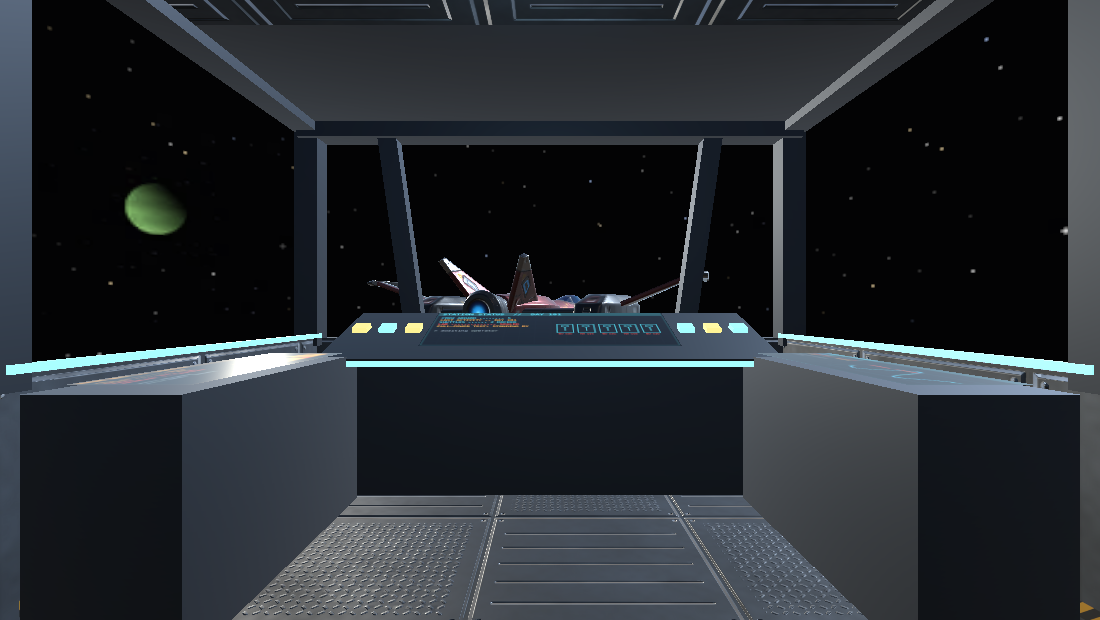
- The opening had no ship. You were meant to be a salvage pilot, but you started floating in space next to a menu. There is now a bridge to stand on, with a dashboard, side consoles and a windshield, and the call-sign console is mounted in it straight ahead instead of chasing your gaze.
- The station was missing on approach. I had added fog for atmosphere. It also swallowed everything far away, including the station you fly toward and the planets outside the windows. The fog is gone, and the approach is longer so the station grows in the windshield.
- Carrying the power cell juddered. The cell’s collider sat right in front of the player and shoved against their own body as they walked. It no longer collides while held.
- The game was almost silent. The ambience was mixed for laptop speakers and was nearly inaudible in the headset. It is about three times louder, the ship hums in the opening, and every line of dialogue gets a comm blip.
- Words sank into walls. Floating hints near a wall were cut off by it. Hints, the objective line, captions and the waypoint now draw on top of the world, captions have a dark plate behind them, and the floating panels stop short of a wall.
- It was not obvious where to go. The gold glow only helps once the object is in view, and nobody found crew quarters. A gold NEXT marker with the distance now hangs over the current objective and shows through walls.
- Nobody understood the dial. Circling your hand to tune a radio, while reading a readout a foot from your face, was confusing and a little nauseating. It is now “hold the trigger” and the panel says what it is: the lab door’s remote lock.
- The story was unclear. “Day 181” could have been the player’s day or the crew’s. ECHO now says it outright: it is the station’s mission day, six months ago, when all five logs stop. ECHO also says why the lights go out.
- An open vault door poked through the wall into crew quarters. It now swings the other way.
- Waiting to click was too slow. The pause before a line can be dismissed is down from up to four seconds to about one: still long enough to stop an accidental skip.
- The comfort vignette was far too strong. It is much wider and softer now, and still off by default.
Still To Do
- Replay the latest build on the Quest to confirm the second round of fixes.
- Measure frame rate properly with the extra lights, the suit lamp and the new textures and trim. If it drops frames, the trim is the first thing to cut.
- Record the v2 walkthrough and replace the video at the top of this page.
v2 Assets and Credits
| Source | Used For |
|---|---|
Unity primitives, placed by an editor script (V2Builder.cs) |
Crew Quarters, Engineering, reactor, breaker, radio panel, datapads, containment seal |
| Meshes generated by the same script | The artifact crystal and its rings |
| Textures generated for this project (Python, NumPy and Pillow) | Wall, floor and ceiling panel sets, hazard stripes, the three wall displays |
| Kenney “Space Kit” and “Furniture Kit” (CC0) | Barrels, machine, bunks, desk and shelf in the new rooms, reused from v1 so the look stays consistent |
| Sound effects synthesized for this project (Python and NumPy) | Lever, power surge and power down, reactor hum, hatch, metal clang, door creak, radio static, lock release |
| macOS text-to-speech (“Samantha”, “Whisper”), filtered | Station PA, voices on the radio, whispers |
| “Voices Sound Effect Library” by Little Robot Sound Factory, www.littlerobotsoundfactory.com (CC-BY 3.0) | Recorder breath, carried over from v1 |
| XR Interaction Toolkit 3.6.0 Starter Assets | XR rig, tunneling vignette |
Full attribution, including what is still unverified from Assignment 3, is in Assets/CREDITS.txt in the repo. I built v2 with Claude Code driving the Unity Editor; the audit it wrote before changing anything is in the repo as AUDIT.md.