Generate Your Story
Posted September 9, 2026
The player character doesn’t have a fixed name — you type it in on the start screen and it shows up below as {PlayerName}. The ship AI is ECHO.
It’s dead quiet the whole time, just {PlayerName} breathing and ECHO talking, except for one moment in the Lab where that breaks.
Start Screen
Custom UI Interaction
Station logo, a text field for your call sign, and a Begin button.
Room: Docking Bay
3D elements: crates, a half-loaded cargo sled, an airlock door
ECHO: Docking clamps engaged. Life support’s still running in there, {PlayerName}. Lights, gravity, air, all of it. Somebody left the lights on for six months.
{PlayerName}: Great. More parts for us, then.
ECHO: Crew roster says five people, {PlayerName}. The station’s activity log — every entry, every day, automatic — stops dead on the same day, for all five. Not staggered. Not partial. Same day. That’s not what a normal evacuation looks like.
Airlock Door · Hover / Select / Activate Glows on hover, opens on select, and you walk into the corridor.
Room: Corridor
3D elements: repeated wall/floor pieces, strip lighting
ECHO: Nothing broken back here. Nothing burned either. It’s like the whole place just stopped.
Room: Control Room
3D elements: a console/terminal, a chair, a wall monitor
ECHO: Terminal’s still got power. Might be worth a look before you start pulling wiring.
Terminal · Information Panel Selecting it pulls up a written journal entry the crew left — different from the automated log ECHO already mentioned.
JOURNAL — Day 180: “Resonance from the artifact is climbing again. Director wants to run a full-power test tomorrow. I’ve logged my objection.”
{PlayerName}: Well, that’s not ominous at all.
Room: Lab
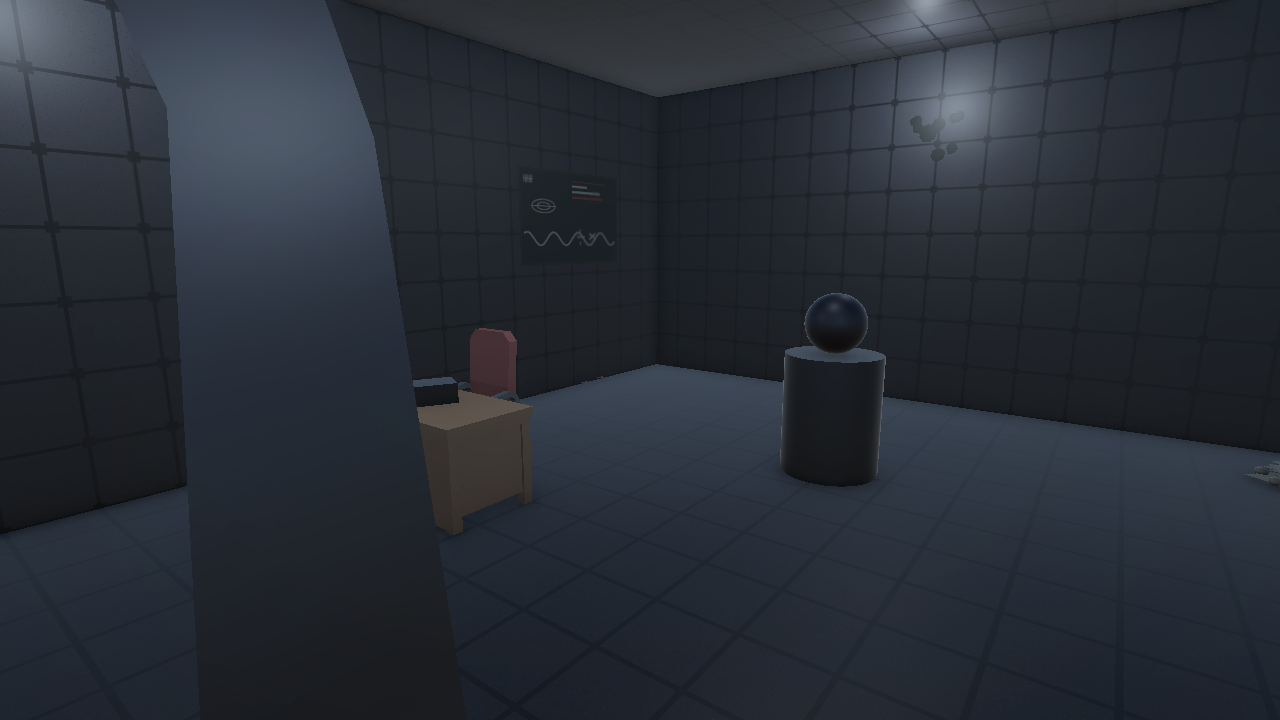
3D elements: a desk, a handheld recorder prop, the artifact on a pedestal
ECHO: This is the room the journal entry meant.
Recorder · Hover Enter/Exit Scales up and lights up when you hover it, back to normal when you don’t. Select it and it plays the last thing it ever recorded: static, one ragged breath, nothing. No Day 181 entry — nobody left to make one.
Artifact · Select/Activate + Changing Material Select it and its material shifts from dim blue to bright white. The walls cut out. A screech, and five silhouettes appear in the dark, arms out toward {PlayerName}. A few seconds later it’s over — walls back, artifact dark, lab quiet again.
ECHO: {PlayerName}. Whatever that was — whatever they were — it’s done now. Don’t touch it again.
{PlayerName}: Wasn’t planning on it.
End Screen
“You sealed the lab and logged the coordinates for recovery. Whatever happened to the crew, it’s not your problem to solve today.” Buttons: Restart / Quit.
World & Interaction Map
| Room | 3D Elements | Interaction | Type |
|---|---|---|---|
| Start Screen | UI panel | Name entry | Custom UI |
| Docking Bay | Crates, cargo sled, airlock door | Open door | Select/Activate |
| Corridor | Wall/floor pieces, lighting | — | — |
| Control Room | Console/terminal, chair, monitor | View journal entry | Information Panel |
| Lab | Desk, recorder, artifact pedestal | Hover recorder | Hover Enter/Exit |
| Lab | (same room) | Activate artifact | Select/Activate + Material |
| End Screen | UI panel | — | — |
Build the 3D World
September 11, 2026
Room by room, following the World & Interaction Map above:
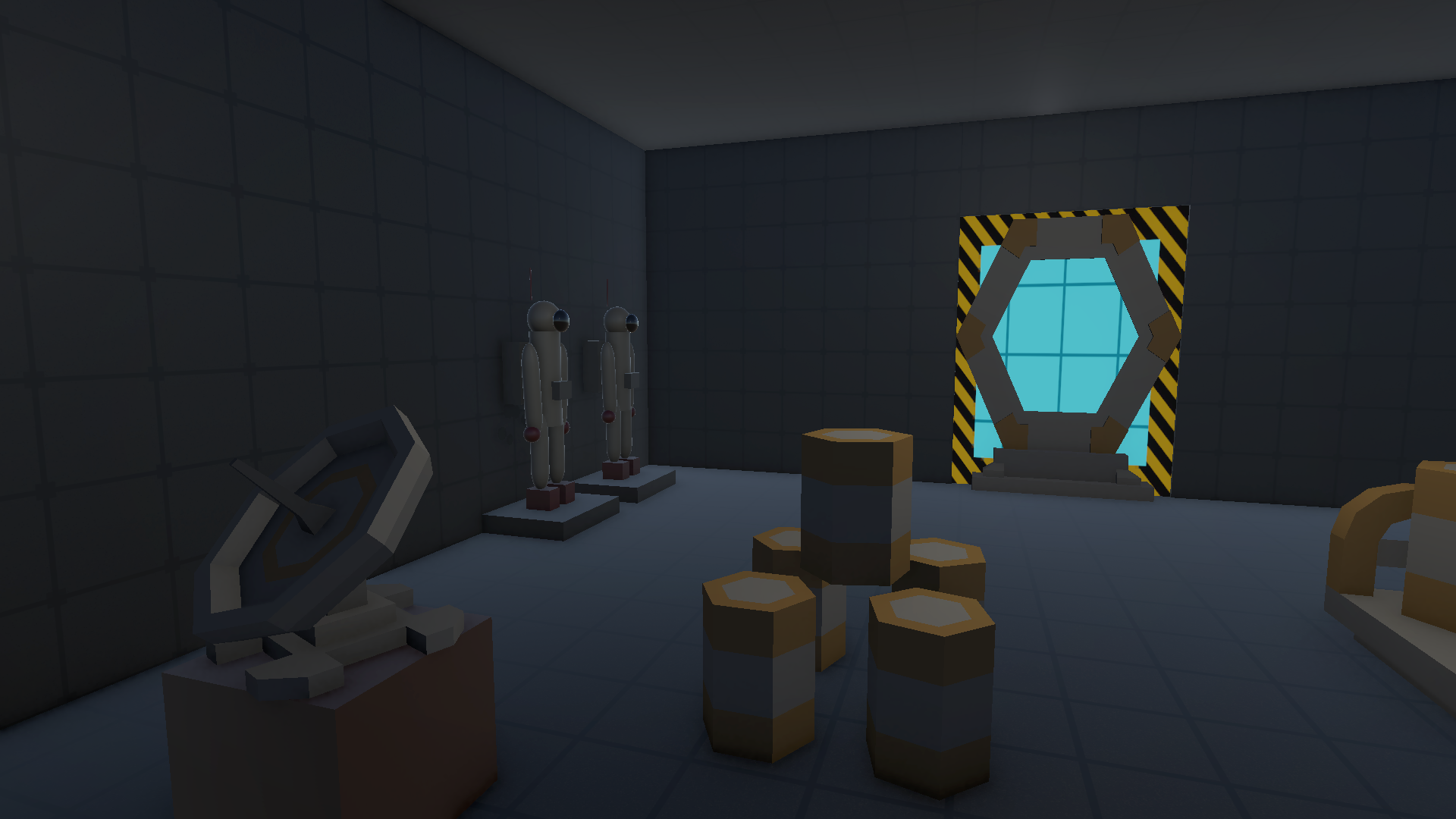
- Docking Bay — primitive-built room with a paneled floor/wall/ceiling texture, plus Kenney Space Kit props: barrels doubling as crates, a barrel-loaded rail cart as the cargo sled, a satellite dish, and a gate frame as the airlock (sealed, glowing, hazard-striped). Two space suit mannequins on display platforms, window looking out on deep space.
- Corridor — short, mostly flavor. Primitive shell, two emissive ceiling strips, a window onto a ringed planet. No interaction here.
- Control Room — Kenney desk + chair, a console + monitor facing the corridor entrance so it’s the first thing you see walking in, a bunk bed, three wall posters, another window with a different ringed planet.
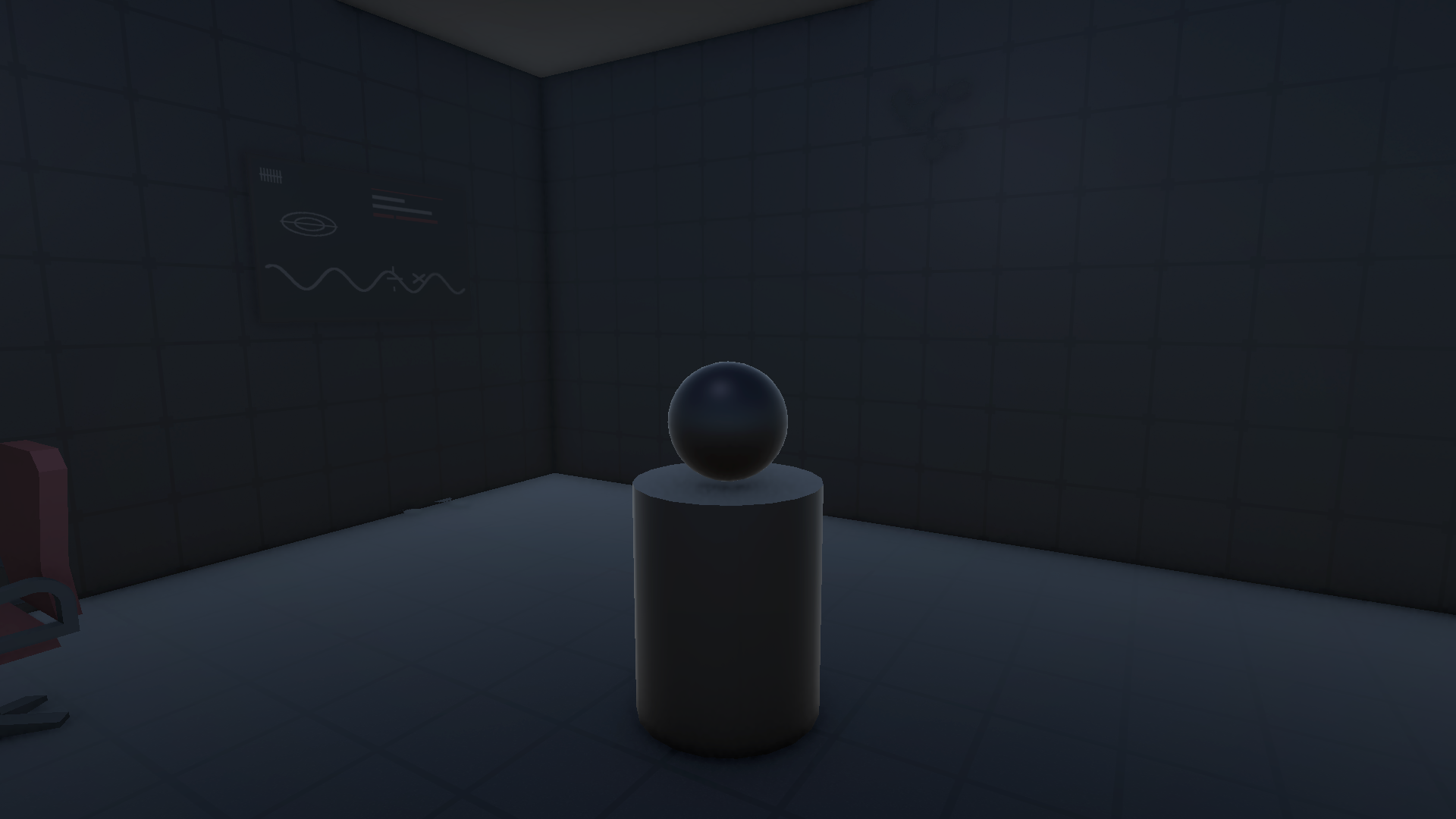
- Lab — desk + chair, the recorder prop, the artifact on a pedestal (just a primitive with an emissive material, no shader needed), five crew silhouettes built from stretched capsules (black, unlit, hidden until the artifact goes off), two bookcases with random vials/bottles/gadgets, a chalkboard, a pile of papers in the corner.
Lighting’s dim everywhere, practical-fixture style, to match the whole dead-station thing, with decay decals scattered around. Only the Lab light actually needs to flicker, which gets scripted in Assignment 3. Skybox is a starfield I generated (not a stock HDRI) with three actual 3D ringed planets — real geometry, not a texture — placed so each window looks out on one.
Screenshots
Video Walkthrough
Asset List
| Source | Assets | Used For |
|---|---|---|
| Kenney “Space Kit” | Barrels, barrel rail cart, gate frame, computer console, computer screen/monitor, window frame, satellite dish | Docking Bay, Corridor, Control Room |
| Kenney “Furniture Kit” | Desk, chair, two bookcases, bunk bed | Control Room, Lab |
| Built from primitives | Room shells and paneled surface textures, airlock door panel + glass, artifact (emissive material, no shader), recorder prop, 5 crew silhouettes, strip lights, space suit mannequins, decay decals, wall posters, chalkboard, paper pile, and a procedural starfield skybox with 3 real 3D ringed planets | All rooms |
| Freesound.org (CC0) | Breathing loop, ECHO beeps/stings, screech/howl one-shot | Ambient audio + artifact trigger (wired up in Assignment 3) |
Add Interactions
Posted September 21, 2026
Five points of interaction, on top of the rooms from the World & Interaction Map:
1. Start Screen — Custom UI Interaction
Station logo, call sign field, Begin button. Whatever you type becomes {PlayerName} for the rest of the run.
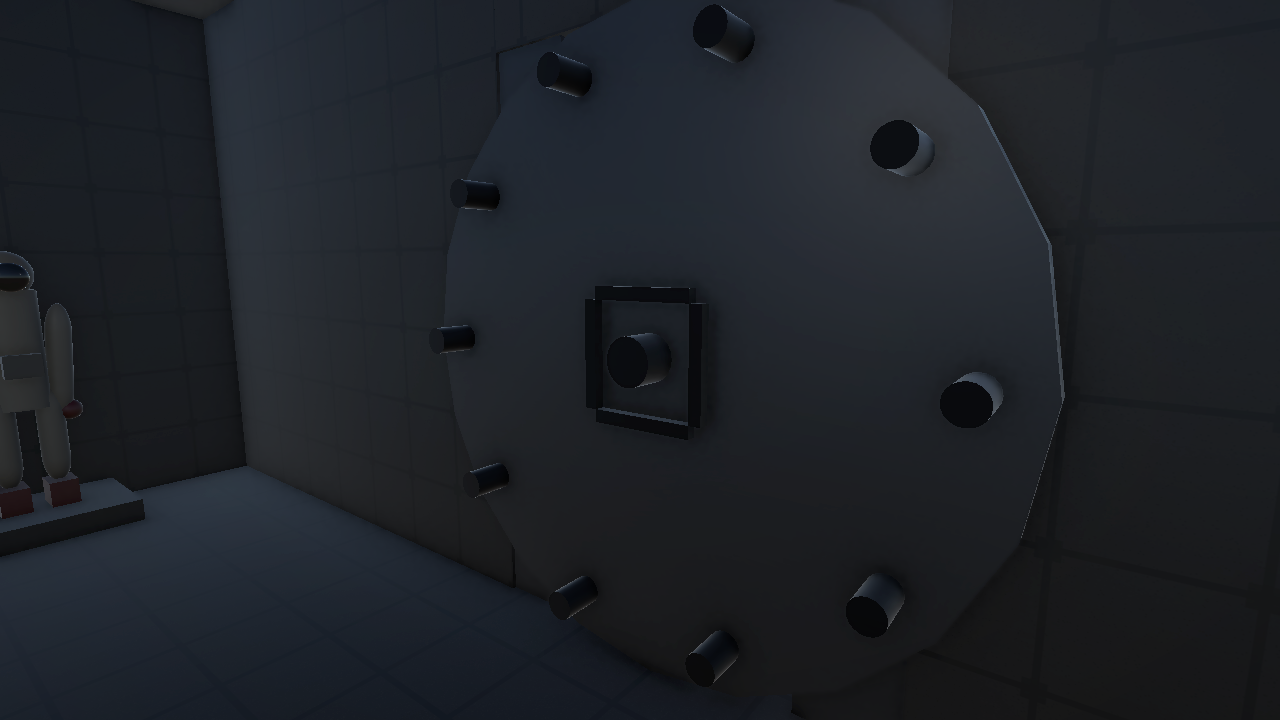
2. Airlock & Lab Doors — 3 XR Simple Interactables, Hover / Select / Activate
Both vault doors glow on hover and open on select. Each one also has a second interactable built into the wheel handle for a more hands-on VR grab, which still needs a proper headset pass in Assignment 4 before I call it done. Counting the wheel handles, that’s 4 XRSimpleInteractables across the two doors (panel + wheel, times two), plus one each on the Terminal, Recorder, and Artifact — 7 in the scene, well over the minimum of 3.
3. Recorder — 3D Object Hover Enter/Exit State
Scales up and lights up on hover, drops back down when you look away. Straight GameObject-level hover, no UI involved. Select it and it plays back its last recording: static, one ragged breath, nothing.
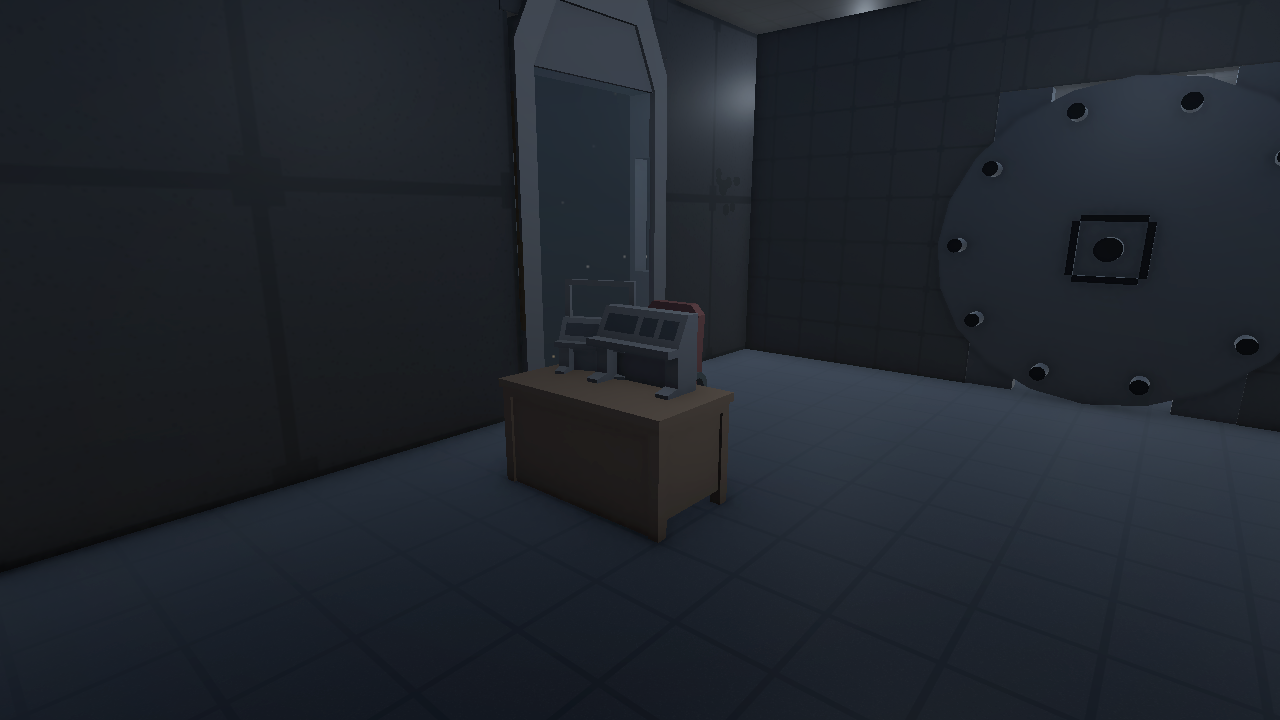
4. Terminal — Information Panel (UI Canvas Element)
Selecting the console pulls up a panel with the crew’s last journal entry, closing itself after the final line.
5. Artifact — Select/Activate + Changing Materials/Background
Selecting it shifts the material from dim blue to pulsing white, then the room changes around it: walls and pedestal hide, an alien skybox and a glitch-panel dome take over so there’s nothing normal visible in any direction, the room lights strobe through colors in sync with some distortion stingers, and the five crew silhouettes fly around erratically before everything snaps back to normal.
Plus the Start Screen and End Screen from Assignment 1, which bookend the whole run rather than being tied to any one interaction.
Video Walkthrough
Desktop playthrough. VR pass with a headset comes in Assignment 4.
Asset & Package Notes
| Source | Used For |
|---|---|
XR Interaction Toolkit 3.6.0 (XRSimpleInteractable, select/hover events) |
All 6 interactables above |
Custom TwistHandle.cs script |
Door wheel grab interactable — this XRI version didn’t ship a built-in knob component, so I had it build the rotation tracking (hand angle around the wheel’s axis, handles wraparound) from scratch |
| Freesound.org (CC0) + “Voices Sound Effect Library” by Little Robot Sound Factory (CC-BY 3.0) | Ambient loops, ECHO stings, recorder breath, artifact glitch stingers — see Assets/CREDITS.txt for full attribution |
| Locally-synthesized audio (ffmpeg) | Bass rumble, glitch stingers |